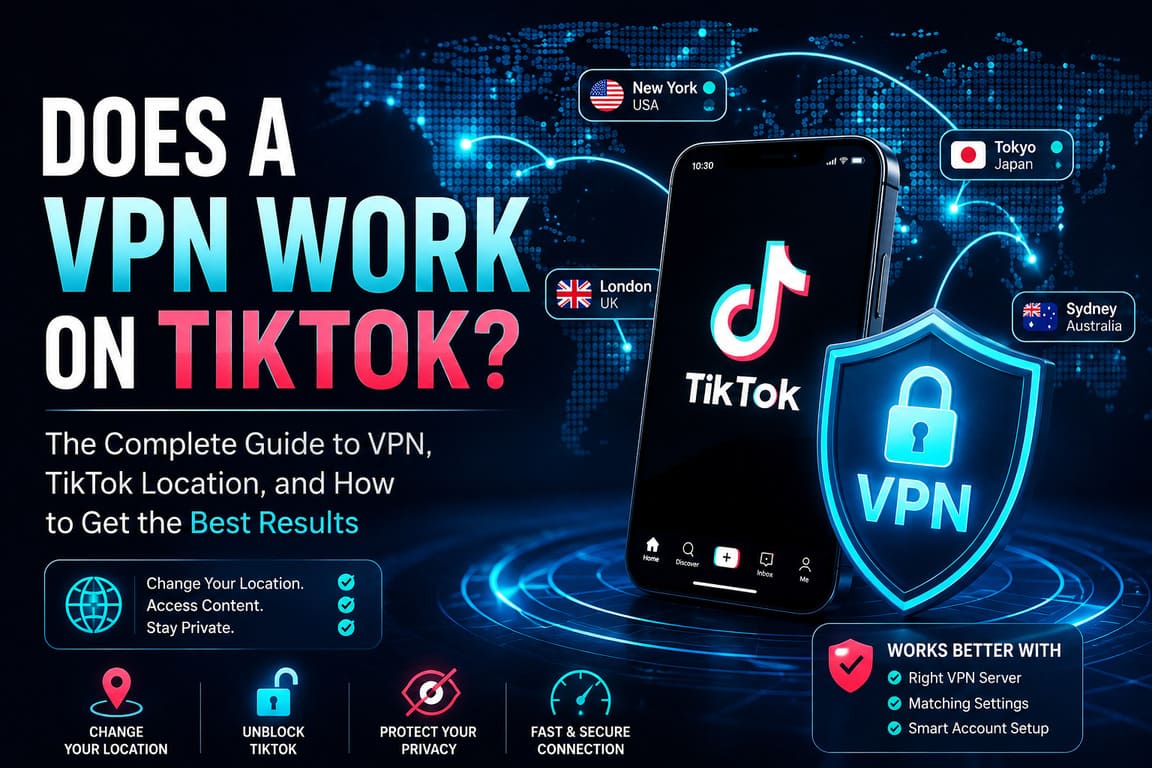
Yes — a VPN can work on TikTok, but only up to a point.
A VPN can change your IP address and encrypt your connection, so TikTok may see you as connecting from a different network location. That can help if TikTok is blocked on a specific Wi‑Fi network, if you are traveling, or if you want to reduce tracking on public internet connections. But TikTok does not rely on IP alone. According to TikTok’s own support pages, its recommendations and location signals may also use your SIM region, device settings, language preference, time zone, GPS-based location services where available, and your viewing behavior. That means a VPN can help, but it does not guarantee a full region change inside TikTok.
How a VPN works with TikTok
A VPN creates an encrypted tunnel between your device and a VPN server. Instead of showing TikTok your normal public IP, your traffic appears to come from the VPN server’s IP. In simple terms: you connect to the VPN, the VPN connects to the internet for you, and websites or apps see the VPN server’s location instead of your usual one. That is why a VPN can sometimes change what TikTok serves or whether TikTok loads at all on a restricted network.
But TikTok also says it uses more than network data. Its recommendation system can consider language preference, location, device settings, time zone, and the country where content was published. For the Nearby feed, TikTok says it may determine approximate location from SIM card and IP address, and in some regions from GPS if Location Services are enabled. So if your VPN says “United States” but your SIM, GPS, time zone, and account history still say “another country,” TikTok may still behave like you are local to your real region.
The short answer
If you only want to know the bottom line, here it is:
- Yes, a VPN can make TikTok work on some blocked networks.
- Yes, a VPN can influence what location TikTok sees from your IP.
- No, a VPN alone does not fully control your TikTok region.
- No, a VPN is not a guaranteed fix for national bans or app-store restrictions.
- Yes, results are better when the VPN is combined with matching language, time zone, account behavior, and location settings where allowed.
Table 1: What a VPN can change — and what it cannot
| TikTok factor | Can a VPN change it? | Notes |
|---|---|---|
| IP address | Yes | This is the main thing a VPN changes. |
| Connection encryption | Yes | Useful on public Wi‑Fi. |
| Access on a restricted local network | Often | Works if the block is network-based. |
| GPS / device location services | No | TikTok may still use device location where available. |
| SIM card region | No | TikTok says SIM/network data can affect location. |
| App language | No, not automatically | You must change it inside TikTok settings yourself. |
| Time zone | No, not automatically | A mismatch can reduce the effect of the VPN. |
| Existing account history / feed behavior | No | TikTok still uses what you watch, like, and skip. |
| App-store country / regional app availability | Usually no | VPN alone does not always solve store-region issues. |
Source basis: TikTok says location and recommendations may use SIM/network info, location services, language, device settings, time zone, and user behavior; a VPN primarily changes network routing and IP.
When a VPN usually works well on TikTok
A VPN is most useful in three common situations.
First, it can help on a restricted local network. For example, some school, office, hotel, or airport networks block parts of social media. If the restriction is only on that network, a VPN may route around it and let TikTok load normally.
Second, it can help while traveling. If you are abroad and TikTok starts showing you a lot of local content you do not want, a VPN can make your connection look like it comes from your home country. That may influence content discovery, especially when combined with the right language settings and a fresh watch history. TikTok also offers some in-app region controls, such as changing the region of the Nearby feed where that feature is available.
Third, it can help if your main goal is privacy on public Wi‑Fi, not region switching. A VPN encrypts traffic between your device and the VPN server, which is why many people use it on open networks.
When a VPN does not fully work
A VPN is weaker in situations where TikTok or the broader platform stack uses many location clues at once.
If a country has a full national ban or serious platform restrictions, a VPN may become unreliable, may stop working later, or may not be enough by itself. A real example is India, where TikTok has faced a nationwide ban since 2020. That is very different from a simple coffee-shop Wi‑Fi block. Source
A VPN also may not fully solve device-level or organization-level restrictions. For example, several governments have banned TikTok on official work devices rather than on all personal devices. That is another reminder that “TikTok access” depends on the exact type of restriction.
And if you want to change what TikTok recommends, the VPN is only one signal. TikTok says user interactions usually matter more than many other factors. So if your account has spent months watching content from one country, a VPN alone may not quickly rebuild your feed.
Best professional guide: how to make a VPN work better on TikTok
If you want the best practical results, do not rely on the VPN alone. Use this clean setup:
- Connect to the VPN before opening TikTok.
This gives TikTok the new IP from the start of the session. - Use a server in the exact country you want.
If your goal is U.K. content, use a U.K. server, not “fastest location.” - Turn off TikTok Location Services if that fits your local rules and needs.
TikTok says it may use device location where available. - Match your TikTok language settings.
TikTok lets you change app language manually. - Match your device time zone to the target region.
A wrong time zone can be a weak but obvious mismatch. - Use the app naturally.
Search for creators from the target region, watch full videos from that region, and engage with them. TikTok says user interactions are a major ranking factor. - Reset weak signals if needed.
If the feed still looks wrong, clear app cache, restart the app, and test with a newer or separate account. - Check in-app region controls.
For the Nearby feed, TikTok says some users can change the feed region directly in the app.
Table 2: Fast troubleshooting guide
| Problem | Most likely reason | What to do |
|---|---|---|
| TikTok still shows my real-country feed | Old account history is stronger than the VPN | Watch and search content from the target region for several days |
| Nearby feed still looks local | TikTok may use SIM, IP, or GPS/location services | Disable location permissions if appropriate, change Nearby region if available |
| TikTok app does not load at all | The restriction may be stronger than a simple network block | Try another network, another server, or check whether the app is restricted in that country |
| Feed language is wrong | App language and content habits do not match the VPN region | Change app language and engage with target-language content |
| VPN works in browser but not app | The app may read extra device signals | Close the app fully, reconnect VPN, relaunch |
| Video speed is slow | VPN server is overloaded or too far away | Use a nearer server in the same country or switch servers |
Source basis: TikTok’s own documentation on location, language, Nearby region, and recommendation signals; general VPN network behavior from Cloudflare.
Real examples
Example 1: Travel use case
A user from Canada travels to Spain and notices TikTok showing more local Spanish content. They connect to a Canadian VPN server, switch the app language back to English, and begin interacting with Canadian creators again. The VPN helps with IP location, but the feed improves most after the user’s interactions begin matching the target region. That matches TikTok’s own explanation that recommendations depend heavily on user behavior, plus language and location signals.
Example 2: Nearby feed mismatch
A user wants to explore content from another city. TikTok says the Nearby feed can use SIM card, IP address, and in some regions GPS-based location services, but it also says some users can manually change the Nearby region inside the app. In this case, the most effective setup is often a VPN plus the in-app Nearby region setting, not the VPN alone.
Example 3: Full-country restriction
India is a real example of a nationwide TikTok ban. In that kind of environment, a VPN is not the same as a simple workaround for a café Wi‑Fi block. The situation is broader, more legal, and more unstable. That is why people should not assume “VPN = guaranteed TikTok access” everywhere.
Quick statistics you can use
- TikTok ads reached 1.59 billion users globally in January 2025.
- TikTok’s reachable audience increased by 31.2 million users year over year from January 2024 to January 2025. Source
- TikTok ads reached 28.6% of the world’s internet users in early 2025.
- In Security.org’s 2025 report, 32% of Americans said they use a VPN.
- In the same report, 37% of VPN users said they used a VPN to reduce tracking by search engines or social media platforms.
- 23% used VPNs to access streaming content not available in the U.S., showing that location-based use is still a common reason people buy VPNs.
Text infographic
DOES A VPN WORK ON TIKTOK?

YES, BUT ONLY PARTLY

VPN changes:
[IP address] -> YES
[Encrypted connection] -> YES
[Network route] -> YES

TikTok may still use:
[SIM region] -> YES
[GPS / location services] -> YES
[Language settings] -> YES
[Time zone] -> YES
[Watch history and likes] -> YES

BEST RESULT =
VPN
+ matching language
+ matching time zone
+ location settings check
+ fresh region-specific activity

BOTTOM LINE:
VPN helps TikTok load and can influence region,
but it does not fully control your feed by itself.
Common mistakes people make
The biggest mistake is expecting the VPN to do everything. On TikTok, it usually does not.
The second mistake is forgetting that the account itself has memory. If your account has a long history of watching one kind of content, TikTok may keep serving similar videos even after your IP changes.
The third mistake is leaving obvious mismatches in place: one country in the VPN, another in the SIM, another in the time zone, and another in the app language. That mixed setup often produces mixed results.
FAQ
Does a VPN work on TikTok if the app is blocked on Wi‑Fi?
Often, yes. If the block is only on that local network, a VPN can route your traffic through another server and restore access.
Can a VPN change my TikTok region?
Partly. It can change your IP-based location, but TikTok may still use SIM, GPS/location services, language, time zone, and account behavior.
Why does TikTok still show local videos when my VPN is on?
Because TikTok recommendations are not based on IP alone. User behavior and other device signals can outweigh the VPN.
Should I change language settings too?
Yes, if your goal is to see content from another region. TikTok allows you to change app language manually, and language is one of the signals used in recommendations.
Does a VPN help with the Nearby feed?
Sometimes, but not fully. TikTok says Nearby may use SIM, IP, and in some places GPS. It also says some users can change the Nearby region directly in the app.
Is a VPN enough in countries where TikTok is banned?
Not always. In full-country restriction scenarios, results can be unstable, incomplete, or legally sensitive depending on local rules. India is a real example of a nationwide ban.
Is using a VPN on TikTok mainly about privacy or region switching?
Both. A VPN is useful for privacy on public Wi‑Fi and can also influence region-based behavior, but those are two different goals and should not be confused.
Final verdict
So, does a VPN work on TikTok?
Yes — technically and practically, it often does. It can change your visible IP address, protect your traffic on public networks, and sometimes help TikTok load or show content from another region.
But it is not magic. TikTok uses more than IP, including language, device and network signals, and especially your own behavior in the app. If you want the best results, treat the VPN as one part of a complete setup, not the whole solution.